The AI creative platform market in 2026 has consolidated around a handful of serious options, each with a distinct philosophy about what creative AI should do and who it should serve. Choosing between them requires understanding those philosophies, not just comparing feature lists.
This comparison covers three of the most widely used professional AI creative platforms: Magnific, Midjourney, and Adobe Firefly.
The fundamental difference in approach
Each platform takes a fundamentally different position on what AI creative tools should be:
- Magnific: A model-agnostic unified workflow layer. Magnific does not claim to have the best model. It provides access to all the best models, plus upscaling, video, audio, and stock assets, within a single collaborative production environment.
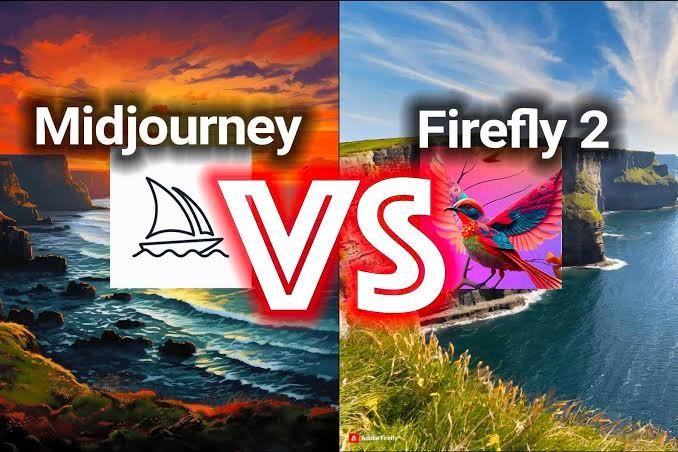
- Midjourney: A single proprietary model optimized for high aesthetic quality. Midjourney v7 produces outputs with a distinctive visual voice. The trade-off is that you are always working within that model’s aesthetic interpretation.
- Adobe Firefly: A model trained on licensed content and embedded in the Adobe Creative Cloud ecosystem. The primary value proposition is copyright clarity and seamless integration with Photoshop, Illustrator, and Premiere.
Feature comparison
| Feature | Magnific | Midjourney | Adobe Firefly |
| Image models | Multiple frontier models (FLUX, GPT, Seedream, others) | Midjourney v7 only | Firefly model only |
| Video generation | Yes (Kling, Seedance, Runway, Veo 3, MiniMax) | No | Firefly Video (limited) |
| AI upscaling | Professional-grade (up to 16x) | Basic (2x) | Limited |
| Audio | Yes (ElevenLabs integration) | No | No |
| 3D | Yes | No | No |
| Stock assets | 200M+ assets | No | Adobe Stock |
| Collaboration | Real-time team workspace | Discord-based | Creative Cloud |
| API access | Yes | Yes (limited) | Yes (Firefly Services) |
| Enterprise features | SSO, compliance, admin controls, indemnification | Limited | Creative Cloud Enterprise |
| Pricing | From free trial; individual and team plans | From $10/month | Included in Creative Cloud |
When to choose Magnific
Magnific is the strongest choice when:
- You need multiple content types in one workflow: If a project involves images, video, audio, and upscaling, doing all of it in one environment with one set of tools and one collaborative workspace significantly reduces friction.
- You want model flexibility: Different projects call for different models. Not being locked into a single model’s aesthetic or capability constraints is a genuine production advantage.
- You are running at enterprise scale: The compliance infrastructure, admin controls, and Magnific Studios offering are built for large teams with real security and legal requirements.
- You need agentic workflows: Magnific’s Agents, Flows, and MCP integration enable automation and brand-consistent batch production that neither Midjourney nor Firefly currently offers.
When to choose Midjourney
- Aesthetic quality is the primary metric: For pure image quality in an artistic, painterly style, Midjourney v7 is difficult to match. If the goal is visually distinctive output and aesthetic interpretation is valued over literal prompt accuracy, Midjourney is a strong choice.
- You work as an individual creator with image-only needs: The Discord-based workflow and single-model simplicity work well for solo creators who are primarily generating still images.
When to choose Adobe Firefly
- Copyright clarity is the top priority: Firefly is trained on licensed content, which provides the cleanest IP provenance for commercial work where this matters.
- Deep Adobe CC integration is essential: Generative Fill and Generative Expand inside Photoshop are genuinely seamless. If your team lives in Photoshop and Illustrator, Firefly’s integration advantage is real.
For creators who want to explore Magnific’s image generation capabilities specifically before evaluating the full platform, the Magnific AI image generator is the starting point for understanding how the multi-model approach works in practice.
Where it fits in a real workflow
The most useful way to understand choosing among Magnific, Midjourney, and Adobe Firefly is to place it inside a complete job. The process begins with the actual job to be done: visual exploration, multi-format production, Adobe-native editing, model choice, collaboration, or commercial governance. From there, the team can run the same representative brief on each shortlisted platform, record effort and output quality, test the downstream edit, and compare total workflow cost. The expected outputs may include a decision based on real assets, not a feature checklist or a single impressive demonstration. This framing matters because the value of an AI tool is not the number of buttons it exposes; it is the amount of finished, approved work it helps people deliver with less friction.
The operational advantage is that a workflow test reveals hidden costs such as export friction, re-prompting, approval delays, and manual finishing. That benefit becomes visible only when the team agrees on what enters the workflow, who makes creative decisions, and what counts as finished. A prompt is therefore not a substitute for a brief. The strongest results usually come from combining a precise objective, good reference material, explicit constraints, and a review process that protects the intent of the work.
A practical step-by-step approach
- Define the outcome. Start with the actual job to be done: visual exploration, multi-format production, Adobe-native editing, model choice, collaboration, or commercial governance. Write down the audience, channel, dimensions, deadline, and the decision the asset must support.
- Create a small test. Use a representative task rather than a spectacular edge case. Keep the first batch limited so that comparison remains clear and affordable.
- Run the production sequence. In practical terms, this means: run the same representative brief on each shortlisted platform, record effort and output quality, test the downstream edit, and compare total workflow cost. Change one important variable at a time whenever possible.
- Review at delivery size. Inspect text, hands, faces, product details, continuity, cropping, compression, and brand elements where relevant. A thumbnail can hide expensive defects.
- Save the learning. Record the prompt, references, model, settings, credit use, edits, and approval notes. Reusable knowledge is often more valuable than a single lucky result.
Quality control and human judgment
The central failure mode is declaring one universal winner when the platforms optimize for different creative and operational priorities. Human review remains necessary because generative systems optimize for plausible output, not for the full business, legal, or narrative context. A polished image or clip may still misrepresent a product, contradict a brand rule, introduce unwanted symbols, or fail in the final layout. Review should be tied to the intended use, with stricter standards for paid media, packaging, identity, claims, children, regulated categories, and public figures.
A useful approval checklist asks five questions: Is the idea on brief? Is the subject or product accurate? Does the asset remain coherent at full resolution? Are rights, consent, disclosure, and provenance handled appropriately? Can another team member reproduce or adapt the result? If any answer is unclear, the asset is still a draft. This discipline prevents speed at the generation stage from creating slower corrections later.
How to measure whether it is working
Measure the workflow, not the volume of raw generations. Relevant indicators include usable results per batch, editing time, consistency, integration effort, rights requirements, collaboration quality, and cost per finished asset. Establish a baseline from the current process first, then compare a representative pilot. The comparison should include briefing, generation, review, manual editing, export, and administration. Excluding the finishing work makes an AI workflow look cheaper than it really is.
Quality and speed should be read together. A faster first draft has limited value if approval takes longer or if designers must rebuild the output. Conversely, a workflow that produces fewer but more reusable masters can outperform one that generates hundreds of disposable variations. The goal is not maximum content. It is a higher proportion of useful content delivered with a predictable level of effort.
Who should adopt it, and how to start
This approach is best suited to buyers willing to evaluate tools against their own briefs and production constraints. It is less compelling for anyone expecting a comparison table to replace a hands-on test with representative work. That distinction is important because AI platforms create the most value when their breadth matches the user’s recurring needs. Buying more capability than the workflow can absorb adds complexity; choosing too narrow a tool can create fragmented subscriptions and repeated handoffs.
The safest starting point is a two-week pilot built around one recurring deliverable. Assign an owner, cap the budget, define acceptance criteria, and keep examples of both successful and rejected outputs. At the end, decide whether to stop, refine the workflow, or expand it. This produces better evidence than an open-ended trial and gives the team a practical foundation for training, governance, and future automation.
The broader takeaway
Choosing among magnific, midjourney, and adobe firefly should be evaluated as a change in production practice, not merely as access to another generator. The lasting advantage comes from how people combine direction, model choice, iteration, finishing, and shared knowledge. Tools will continue to change; a team that can brief clearly, test systematically, judge quality, and preserve what it learns will be able to benefit from those changes without rebuilding its process every time a new model appears.
FAQs
Can I use Magnific and Midjourney together?
Yes. Many professional creators use Midjourney to generate images and then use Magnific’s upscaling tools to bring those images to print resolution. The platforms are not mutually exclusive.
Is Magnific more expensive than Adobe Firefly?
Adobe Firefly is included in Creative Cloud subscriptions, but the generative credits are limited on standard plans. Magnific’s pricing is credit-based and varies by plan. For high-volume generation, comparing actual credit costs against specific usage needs is more informative than comparing headline prices.
Which platform is best for video generation?
Magnific is significantly stronger for video generation, offering access to multiple leading video models (Kling, Seedance, Runway, Veo 3) within the same platform. Neither Midjourney nor Firefly offers comparable video generation capability as of mid-2026.
About the Author